
Empower Your Support Management with Advanced Features
Hive Support offers essential features such as AI-enhanced chatbots, response templates, ticket management, and more. At Hive Support, we're dedicated to revolutionizing your customer support experience. Enhance efficiency, improve response times, and deliver exceptional customer service effortlessly.

Automated Workflows

AI Powered Chatbot

Live Chat

Agent Management

Predefined Responses

Designed for Businesses, Entrepreneurs, and the Self-Employed
We designed Hive Support for anyone eager to do business online, sell courses, or digital products. Entrepreneurs can use it to provide outstanding support for both pre-sale and post-sale customers.




Powerful Automation
Automate your support management tasks with advanced triggering features. You can create multiple automation templates with various conditions and actions. Intensify agent's efforts and improve service.

Response Templates
Create an advanced response template with commonly asked customer queries. You can craft an unlimited numbers of templates for the response.
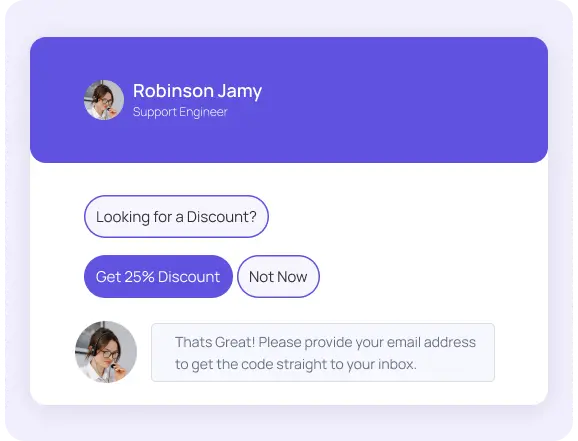
Live Chat
Hive Support came up with a feature-rich live chat option for the users. You can also integrate ChatGPT with the live chat. So make your live chat function more consistent with it.
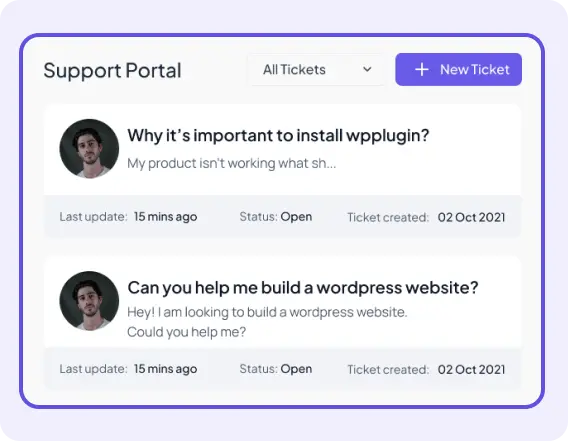
Support Portal
Hive Support has an option for creating different support portals for different purposes. You can customize the portal with various text, number, radio, and checkbox fields.

Assist your Customers on the go
Now you can easily use the Hive Supports smartphone apps on operating systems like Android and iOS. Monitor & Manage your support management tasks anywhere you want. Create a flexible work environment for your agents and improve productivity.


Detail Customer History and Activities
Get the proper customer data such as about their activities history. Monitor your customers and provide them with better responses. It will uplift the overall customer service experience of your site.
Get Pro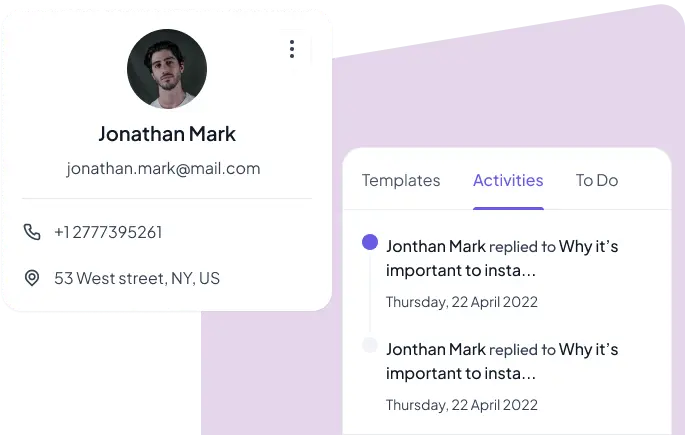


Comparison with Other Support Solutions
- Unlimited tickets
- Live Chat
- AI Chatbot
- AI Training
- Chat Widget Customization
- Automation
- Business Inbox
- Saved Response
- Email Notifications
- Custom Ticket Fields
- Reports & Analytics
- Agent Management
Awesome Support
Fluent Support
Support Candy
JS Helpdesk
Hive Support
Powerful tool with Simple pricing
We handing over the full-featured support tools at the most affordable price. Simply choose the right plan based on your requirements.
$55 $73
Personal24% Discount- 1 Site License
- Billed Annually*
- Unlimited Tickets
- Unlimited Custom Fields
- Unlimited Agents
- Unlimited Business Email Piping
- Live Chat (Ajax)
- Chat Widget Customization
- AI Chatbot (Powered by ChatGPT)
- Fine-Tune AI
- Instant Notifications
- EDD & WooCommerce
- Automation
- Webhook
- All Integrations Included
- 1 Year Update
- 1 Year Support
- All Features Included
$99 $212
Professional53% Discount- 100 Sites License
- Billed Annually*
- Unlimited Tickets
- Unlimited Custom Fields
- Unlimited Agents
- Unlimited Business Email Piping
- Live Chat (Ajax)
- Chat Widget Customization
- AI Chatbot (Powered by ChatGPT)
- Fine-Tune AI
- Instant Notifications
- EDD & WooCommerce
- Automation
- Webhook
- All Integrations Included
- 1 Year Update
- 1 Year Support
- All Features Included
$149 $248
Business40% Discount- 1000 Sites License
- Billed Annually*
- Unlimited Tickets
- Unlimited Custom Fields
- Unlimited Agents
- Unlimited Business Email Piping
- Live Chat (Ajax)
- Chat Widget Customization
- AI Chatbot (Powered by ChatGPT)
- Fine-Tune AI
- Instant Notifications
- EDD & WooCommerce
- Automation
- Webhook
- All Integrations Included
- 1 Year Update
- 1 Year Support
- All Features Included

14 Days Money Back Guarranty
We guarantee 100% satisfaction with our products and services. However, if our plugin doesn't meet your expectations, we are happy to offer a full refund within 14 days of purchase. No questions asked.

Frequently Asked Questions
Because Hive Support has lots of effective features for support ticket management, the most prominent features are AI-enhanced (ChatGPT) live chat, saved responses, automation triggers, AI Training, business inbox, etc.
Yes, you can easily integrate ChatGPT with Hive Support. Get the API key from the Open AI website and go to the following path - Hive Support Dashboard > AI Training > ChatGPT Settings. In the setting, you can set up the ChatGPT.
No, you don't need to do any advanced coding to use and operate the Hive Support plugin. Just install it on your WordPress website and start using it. We have full documentation of each functionality of Hive Support.
You can easily use the automation trigger to speed up the support management process and improve the agent's productivity. Navigate to the following path - Hive Support Dashboard > Automation > Add New Automation.
Our live chat widgets are highly customizable, so you can make them look and feel just the way you want. Hive Support has options for customizing each widget such as the Home Window Tab, Live Massage Tab, Help Tab, and Ai Chat Tab. To customize your live chat widgets, simply go to the Hive Support dashboard and click on "Chat Widget > Widget Settings”. From there, you can select the elements you want to customize and make your changes.
To improve the efficiency of customer support agents, it is recommended to incorporate response templates based on frequently asked user queries. This involves creating a range of answer templates that can be utilized by agents to swiftly and effectively resolve common issues. By utilizing these templates, the support process can be streamlined, resulting in increased productivity and customer satisfaction.Go to the following path from your Hive Support Dashboard to set it up - Plugin Dashboard > Responses > Add a Template.
Yes, you can easily create different mailboxes that support portals for numerous services on your website. Hive Support has options for customizing each mailbox with specific types of ticket fields. So you can make it more personalized for the customers. Go to the following destination - Hive Support Dashboard > Settings > Mailbox > Add Another Business Inbox