Hive Support v2.0.0 Is Here: AI Chatbot, Live Agent Takeover, and a Smarter Support Experience
Fahim Muntasir
16 May, 2026
Share to:
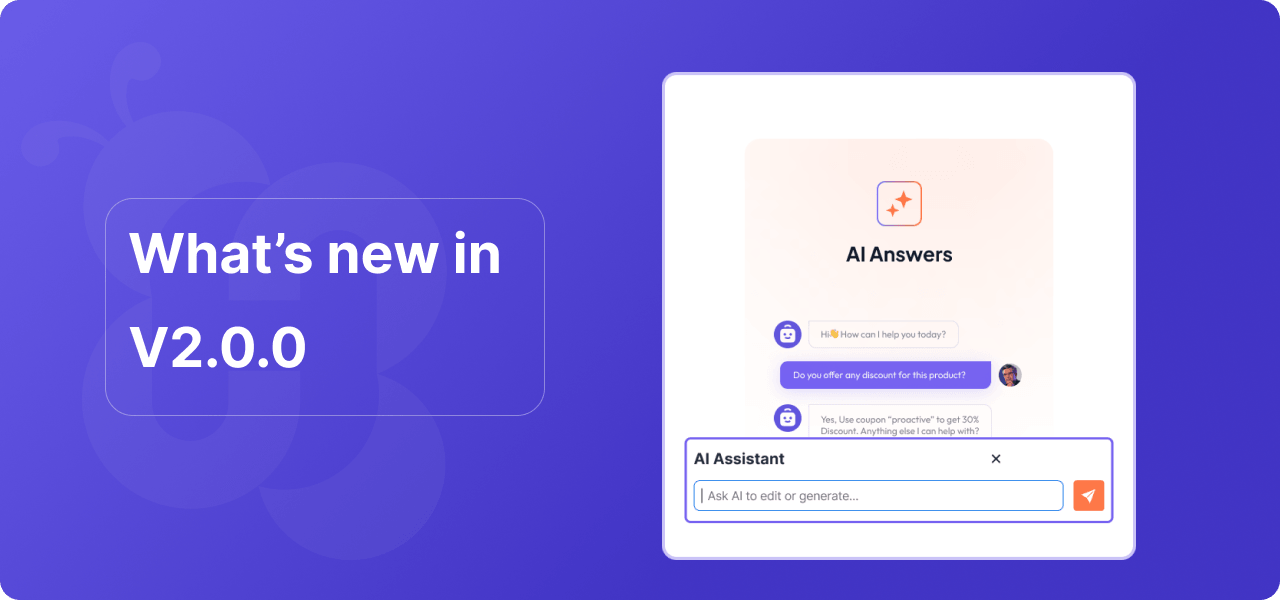
We have been building quietly for months. Today, Hive Support v2.0.0 is ready and it is the biggest update we have ever shipped. This is not just a feature release. It is a complete rethinking of how WordPress support should work in 2026.
Whether you run a plugin business, a theme shop, or a WooCommerce store, v2.0.0 gives you the tools to handle customer support faster, smarter, and with far less manual effort.
Here is everything that is new.
AI Chatbot Powered by Your Own Content
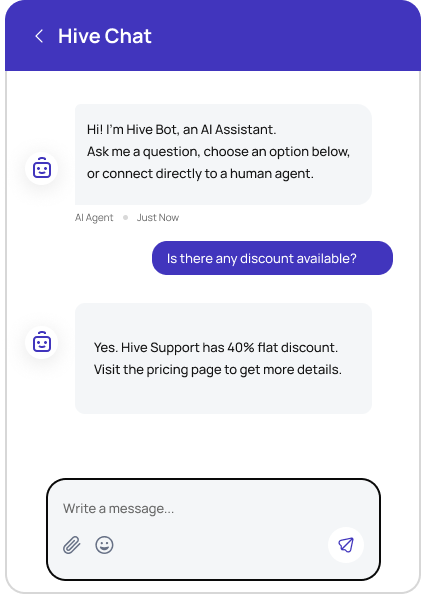
The headline feature of v2.0.0 is the AI chatbot. And this is not a generic chatbot that gives useless answers. It is trained directly on your own content.
You connect your OpenAI API key, choose a model, write a short description of your business, and the AI starts answering questions about your products, your documentation, and your support policies. No prompt engineering degree required.
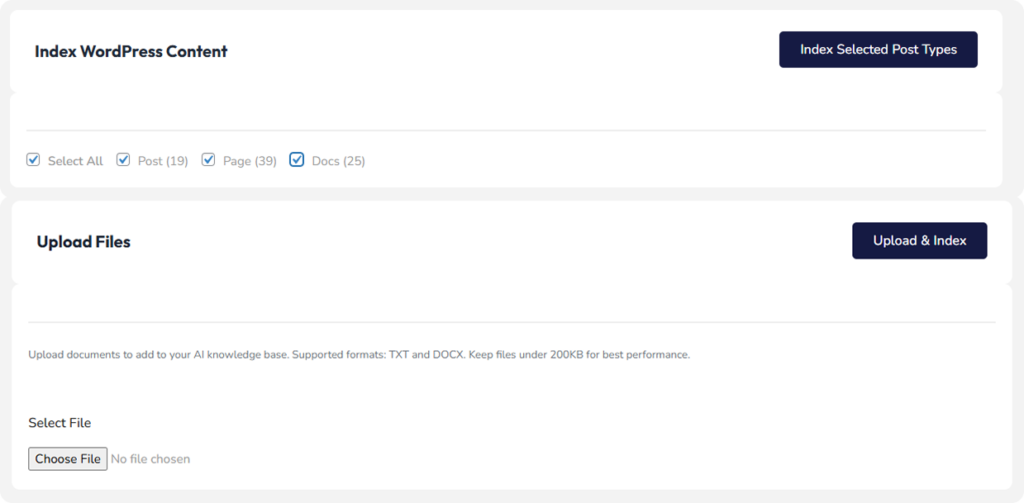
What makes this different from other chatbot plugins is the Knowledge Base system underneath it. The AI does not just read your instructions. It actually indexes your WordPress posts, pages, and documents, then retrieves the most relevant content before answering each question. This means accurate, specific answers instead of generic responses.
You can also upload TXT and DOCX files directly. So your internal documentation, FAQ documents, or product manuals become part of what the AI knows.
How the AI Actually Understands Your Content (RAG)
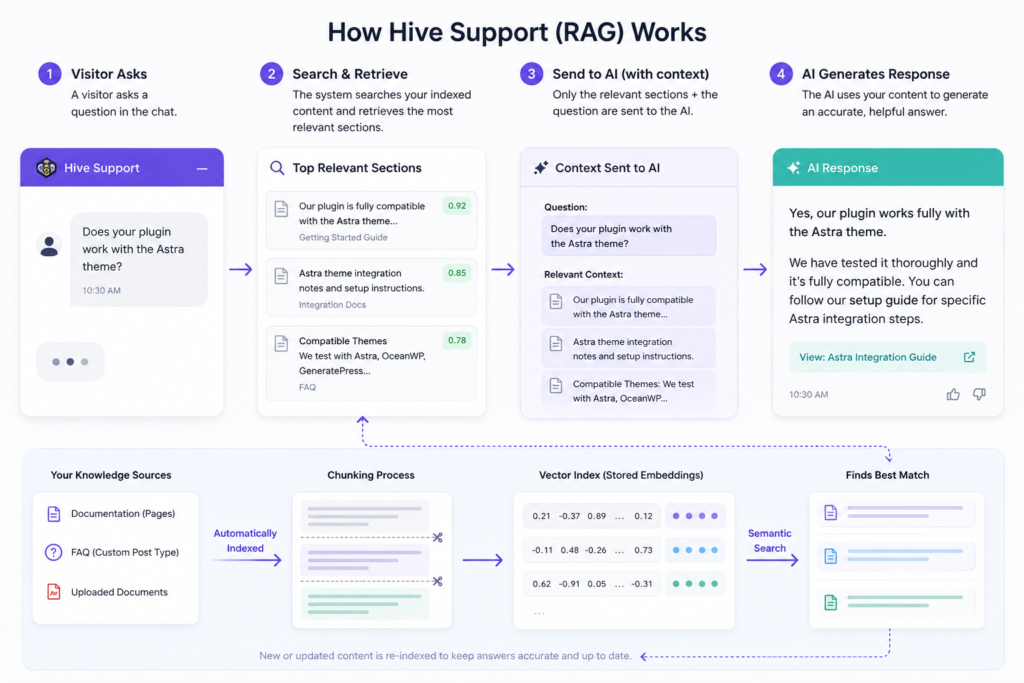
You might wonder what makes the AI chatbot in Hive Support different from simply pasting your FAQ into a prompt. The answer is a technique called Retrieval Augmented Generation, or RAG.
Here is how it works in plain terms.
When a visitor asks a question, the system does not send your entire documentation to the AI. Instead it searches your indexed content, finds the most relevant sections based on the meaning of the question, and sends only those sections along with the question to the AI.
This matters for two reasons.
First, accuracy. The AI answers from your specific content rather than making educated guesses based on general training data. If a customer asks whether your plugin works with a specific theme, the AI looks for that answer in your actual documentation before responding.
Second, cost. Sending your entire knowledge base on every question would be expensive and slow. RAG sends only what is relevant, keeping API costs low and response times fast.
The indexing happens automatically when you publish or update content. You can also manually re-index any source from the Knowledge Base admin page. Uploaded documents are chunked into small sections during indexing so the retrieval system can find exactly the right paragraph, not just the right document.
The result is an AI that gets smarter as you add more content, not one that plateaus after the initial setup.
Human Handoff That Actually Works
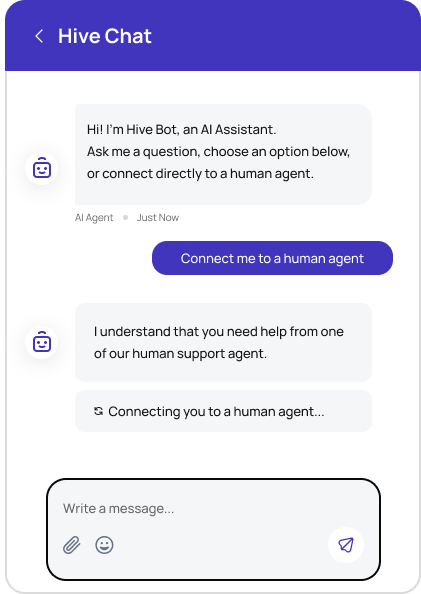
Every AI chatbot eventually hits a question it cannot answer well. In v2.0.0, we built a complete handoff system so your customers never get stuck.
When the AI detects it cannot help, it asks the visitor for their name and email. Then two things can happen depending on whether your team is online.
If an agent is online and available, the visitor is added to the Support Queue. The agent gets a real time notification inside wp-admin and can accept the chat with one click. The conversation continues seamlessly, with the agent picking up exactly where the AI left off.
If no agent is available, the AI automatically summarizes the entire conversation and creates a support ticket. The summary includes the main issue, what the AI tried, and why it could not resolve it. Your team wakes up to a ticket that is already half answered.
Live Agent Takeover
Sometimes you are watching a chat and you want to jump in before the visitor even asks. In v2.0.0, any agent can take over an AI chat at any time.
Inside the Live Chat Inbox, you will see a Take Over button on any active AI session. Click it and the AI stops responding. You take control of the conversation and the visitor sees a message that a support agent has joined.
The visitor does not need to repeat themselves. You have the full chat history right there.
Support Queue with Real Time Notifications
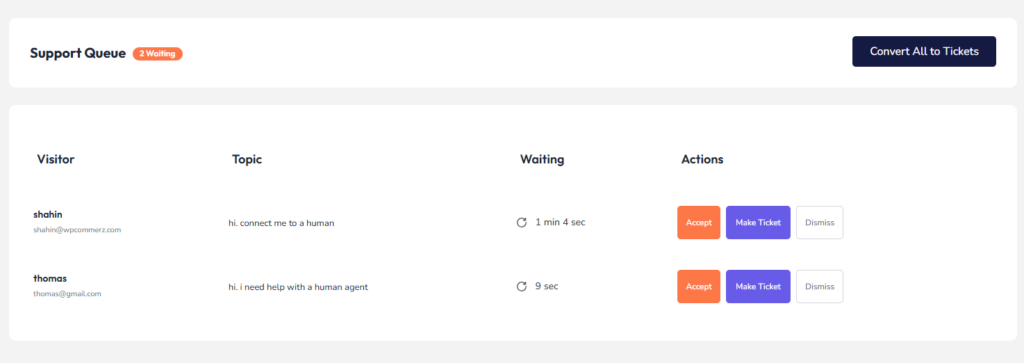
When visitors request a human agent, they go into the Support Queue. This is a new page inside wp-admin under Live Chat that shows every visitor waiting for help, how long they have been waiting, and what their first message was.
You get two types of notifications. A badge count appears on the Live Chat menu item so you always know how many people are waiting. When a new request comes in, a toast notification slides up in the bottom right corner of the screen.
From the queue, you can accept a chat directly, convert it to a ticket, or dismiss it if it is spam. If a visitor waits more than five minutes with no agent available, the system automatically converts their request to a ticket and notifies your team.
AI Chat History for Returning Visitors
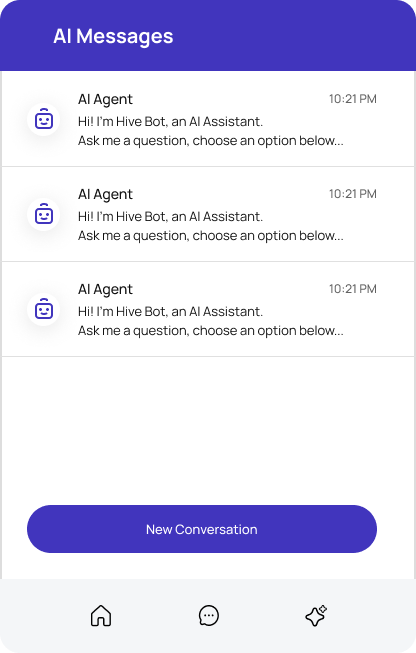
Returning visitors can now see their previous AI conversations. When they open the chat widget, a back arrow lets them access their conversation history. They can pick up an old conversation or start a fresh one.
This works for logged in WordPress users across all devices. For guest visitors it works on the same browser as long as the cookie is present.
Security Improvements
We did a full security audit alongside these new features. v2.0.0 includes:
– API key is no longer exposed in browser JavaScript. It is processed server side only.
– Rate limiting on the AI chat endpoint prevents abuse.
– Capability checks on all admin actions.
– Input sanitization across all user inputs.
– Nonce verification on every AJAX call.
How to Update
If you are on v12.10, update from your WordPress dashboard or download the latest version from your account page. The update is safe and backward compatible with your existing tickets, chat history, and settings.
After updating, go to AI Training and enter your OpenAI API key to activate the AI chatbot. Use the Knowledge Base tab to index your content.
What Is Next
v2.0.0 is a foundation. We are already working on UI improvements, interaction polish, and performance optimizations for high traffic sites. If you have feature requests or run into anything unexpected, open a support ticket and we will get back to you.
Hi, I am Fahim Muntasir, Technical Content Writer at WPCommerz. I love to write WordPress plugins and customization-related articles. I have completed Bachelor's Degree in English Language and Literature. I love to watch a lots of movies and TV shows during my leisure time.
0 thoughts on “Hive Support v2.0.0 Is Here: AI Chatbot, Live Agent Takeover, and a Smarter Support Experience”

0 thoughts on “Hive Support v2.0.0 Is Here: AI Chatbot, Live Agent Takeover, and a Smarter Support Experience”